
Schema markup has become one of the most talked-about fixes for AI search. Some people treat it like a secret switch: add the right code and ChatGPT will start recommending you. It isn’t that simple, and it’s worth being honest about what schema can and can’t do before you spend time on it.
Here’s the short version. Schema won’t get a business into AI answers on its own. What it does is make the facts about a business clear, consistent and easy for machines to read. And when search engines and AI tools are deciding who to trust and what to say, clear facts help.
Schema doesn’t make you the answer. It makes sure AI understands who you are when it’s choosing one.
What is schema markup?
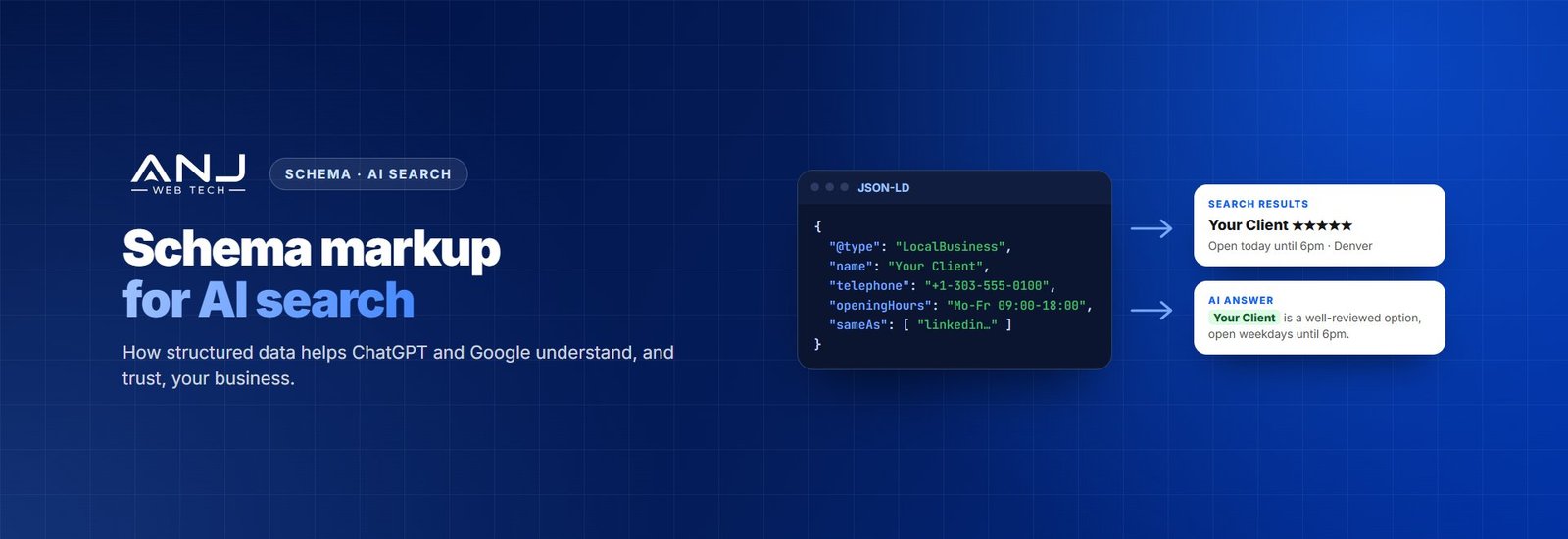
Schema markup is a small block of code, usually in a format called JSON-LD, that describes a page in a language machines understand. Instead of a search engine having to work out from your text that “Bright Smile Dental” is a dentist in Denver open until 6pm, the schema states it directly: this is a business, here’s its name, address, phone number, opening hours and services.
Visitors never see it. It sits in the page code, and it uses a shared vocabulary from Schema.org that Google, Bing and other systems all recognise.
Does schema help with ChatGPT and AI Overviews?
Here’s what we can say with confidence, and what we can’t:
- Google says there’s no special markup needed to appear in AI Overviews. Pages just need to be indexed and eligible to show in search. Structured data helps Google understand a page, and it’s still required for rich results like star ratings and product prices.
- ChatGPT, Perplexity and other AI tools don’t publish exactly how they read structured data. They draw on search results, web pages and many other sources.
- What schema reliably does is remove ambiguity: who the business is, what it offers, where it is and how it connects to its profiles elsewhere. Consistent, machine-readable facts are easier to trust and harder to get wrong.
So think of schema as part of a solid foundation, alongside good content, a crawlable site and a consistent reputation across the web. Not as a shortcut.
The schema types that matter most
| Schema type | Use it for | Why it helps |
|---|---|---|
| Organization | Every business site, usually on the homepage | Name, logo, contact details and links to official profiles |
| LocalBusiness | Businesses with a location or service area | Address, opening hours, area served |
| Service | Each main service page | Says exactly what you offer and who provides it |
| Product | Online stores | Price, availability and reviews |
| Article | Blog posts and guides | Author, publish date and update date |
| FAQPage | Pages with real questions and answers | Spells out the questions you answer |
| BreadcrumbList | Most pages | Shows how the site is organised |
A note on FAQ schema: Google now shows FAQ rich results for only a small number of well-known government and health sites. The markup can still help machines understand a page, but don’t add it expecting the dropdowns to appear in Google.
What good Organization schema looks like
This is the single most useful piece of schema for most businesses. The sameAs links are especially important: they tie your website to your profiles elsewhere, so search engines and AI tools can be sure they’re all the same business.
{
  "@context": "https://schema.org",
  "@type": "Organization",
  "name": "Bright Smile Dental",
  "url": "https://www.example.com/",
  "logo": "https://www.example.com/logo.png",
  "telephone": "+1-303-555-0100",
  "address": {
    "@type": "PostalAddress",
    "streetAddress": "123 Main Street",
    "addressLocality": "Denver",
    "addressRegion": "CO",
    "postalCode": "80202",
    "addressCountry": "US"
  },
  "sameAs": [
    "https://www.linkedin.com/company/example",
    "https://www.facebook.com/example"
  ]
}
How to add schema the right way
- Start with your SEO plugin. Yoast, Rank Math and similar plugins add Organization, Article and Breadcrumb schema automatically. Fill in their settings properly: business name, logo and social profiles.
- Add what the plugin misses. Service, LocalBusiness details and Product information often need custom work or a dedicated schema tool.
- Only mark up what’s on the page. If the schema says you have five-star reviews or an opening time the visitor can’t see, Google treats it as misleading and may ignore it, or worse.
- Keep facts identical everywhere. Your schema, Google Business Profile, LinkedIn and directories should all show the same name, address and phone number.
- Test it. Run pages through Google’s Rich Results Test and the Schema.org validator, then watch the Enhancements reports in Search Console for errors.
Mistakes we see all the time
- Two plugins adding the same schema. A theme and an SEO plugin both output Organization markup with different details. Pick one source.
- Old details nobody updated. A previous address or phone number in the schema undermines everything else.
- Fake or self-written reviews in the markup. This breaks Google’s guidelines and can lose you rich results altogether.
- Expecting schema to do the heavy lifting. Without good content, a crawlable site and mentions across the web, schema alone won’t move AI visibility.
Where schema fits in a bigger AI search plan
Schema is one piece of what’s now called GEO, generative engine optimization. The other pieces are making sure AI crawlers can read the site, answering questions clearly at the top of pages, keeping facts consistent across the web, and earning mentions on other trusted sites. We cover the full process in our guide to what GEO is and how to get clients mentioned in AI answers.
Let us handle schema and AI search for your clients
Our SEO and AI search team audits client sites, fixes and adds schema, lines up business details across the web, and tracks how often clients show up in AI answers. Everything is delivered under your agency’s brand.
We’ve been a white label partner for digital agencies for over eight years. We never contact your clients, every account is covered by an NDA, and plans run month to month.